

Hey Gen
HeyGen AI is an advanced AI-powered video generation platform that allows users to create professional, human-like talking avatar videos with just text input. It eliminates the need for cameras, microphones, or actors, making it an efficient tool for businesses, educators, and creators to produce content quickly. With support for multiple languages and customizable avatars, HeyGen AI helps streamline communication and enhance engagement across digital platforms.
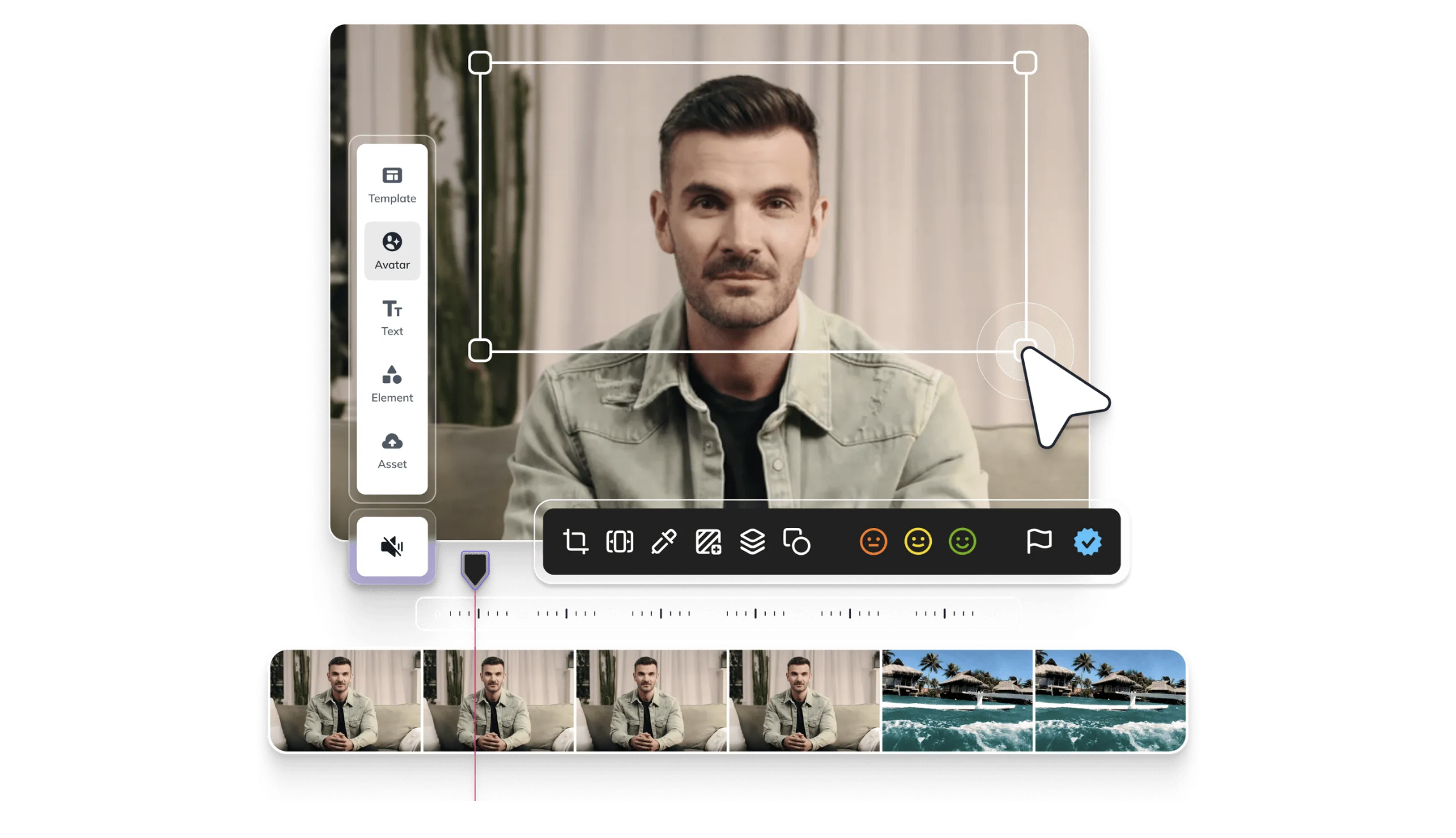
Key Features
AI Avatars
Create realistic talking avatars from text input.
Multi-language Support
Generate videos in 40+ languages with accurate lip-sync.
Custom Avatars
Upload your own avatar or clone your voice for personalized content.
Templates & Scenes
Use pre-designed templates for marketing, training, or tutorials.
Video Editing Tools
Add backgrounds, music, and subtitles easily.
Cross-platform Access
Available via web browser, no installation needed.
Pro & Cons
Pros
-Easy-to-use interface, no technical skills required.
-Saves time and money compared to traditional video production.
-Supports multiple languages and accents.
-High-quality, realistic avatar rendering.
-Regular updates with new features and templates.
Cons
-Free version has limited exports and watermark on videos.
-Custom avatars and premium templates require paid plans.
-Avatars, while realistic, may still feel slightly artificial in certain scenarios.
-Requires a stable internet connection for video processing.
Cost Estimation
Free Plan
Price: $0 / month
Features:
-Limited video credits (trial use only)
-Access to standard avatars
-Basic customization tools
-Watermarked exports
Best For: New users who want to explore HeyGen’s features before committing to a paid plan.
Plus Plan
Price: Starting from $29 / month
Features:
-Access to premium avatars and voices
-Customizable templates and stock backgrounds
-More monthly video credits (no watermark on paid videos)
-Priority rendering speed
-Commercial usage rights
Best For: Individual content creators, marketers, and educators who need professional-quality avatar videos regularly.
Team Plan
Price: Starting from $120 / user / month
Features:
-Shared workspace for collaboration
-Team-based video credits
-Advanced admin controls & centralized billing
-Custom avatars and voice cloning (higher-tier features)
-Priority support and faster rendering
Best For: Small to medium businesses, agencies, or training teams that require collaboration and higher video production capacity.
Business Application
Marketing
Create product explainers, promotional videos, and personalized ads.
HR & Onboarding
Standardize training videos for new hires.
Customer Engagement
Produce FAQs, support videos, and multilingual help guides.
Social Media
Generate fast, engaging video content for platforms like TikTok, YouTube, or Instagram.
Education/Training
Build training materials, online courses, and tutorials.

Guidelines

Sign Up and Access HeyGen
Go to the official website:
https://www.heygen.com/
Click “Sign Up”
Free plan gives you trial video credits to test features.

Start a New Project
After logging in, click “Create Video” on the dashboard.
You’ll be redirected to the HeyGen Editor, where you can choose between:
Templates → Pre-made designs for marketing, training, etc.
Blank Canvas → Full control to design from scratch.

Choose or Upload an Avatar
Select from HeyGen’s Avatar Library (40+ professional avatars).
Or, if you are on Pro/Enterprise plans, you can:
Create a Custom Avatar → Upload your video for cloning.
Clone Your Voice → Train HeyGen with your audio.

Write or Upload Your Script
In the text box, type or paste your script.
Choose language, accent, and voice style from the options.
HeyGen auto-generates lip-synced speech for your avatar.
Best practice: keep sentences short for natural delivery.

Customize Your Video
Backgrounds → Add solid colors, images, or stock footage.
Text/Subtitles → Insert captions for accessibility.
Branding → Add logos, watermarks, or call-to-action elements.
Scenes → Split content into multiple slides for longer tutorials.

Preview Your Video
Click Preview to check how the video looks before using credits.
You can edit scripts, avatars, or backgrounds if needed.
Avoid exporting until you are satisfied (saves credits).

Export & Share
Once finalized, click Export.
Choose resolution (HD/Full HD depending on plan).
Download the video or share directly to platforms like YouTube or LinkedIn.